Which image formats are accepted on Soar

August 28, 2024

Acceptable image formats for uploading your maps to Soar

1. Background

Soar's mission is to make as many maps as possible accessible to everyone, not just experts. One of the ways we currently support this goal is to only accept RGB image formats during user uploads. Sticking to the RGB format keeps things simple for users, making it easier to upload, view and share maps with their community. At the end of the day this also helps the platform scale by handling large amounts of data with increasing users.

2. Accepted image formats on Soar

2.1 Accepted image formats - Only 8-bits Basis (value range 0-255):
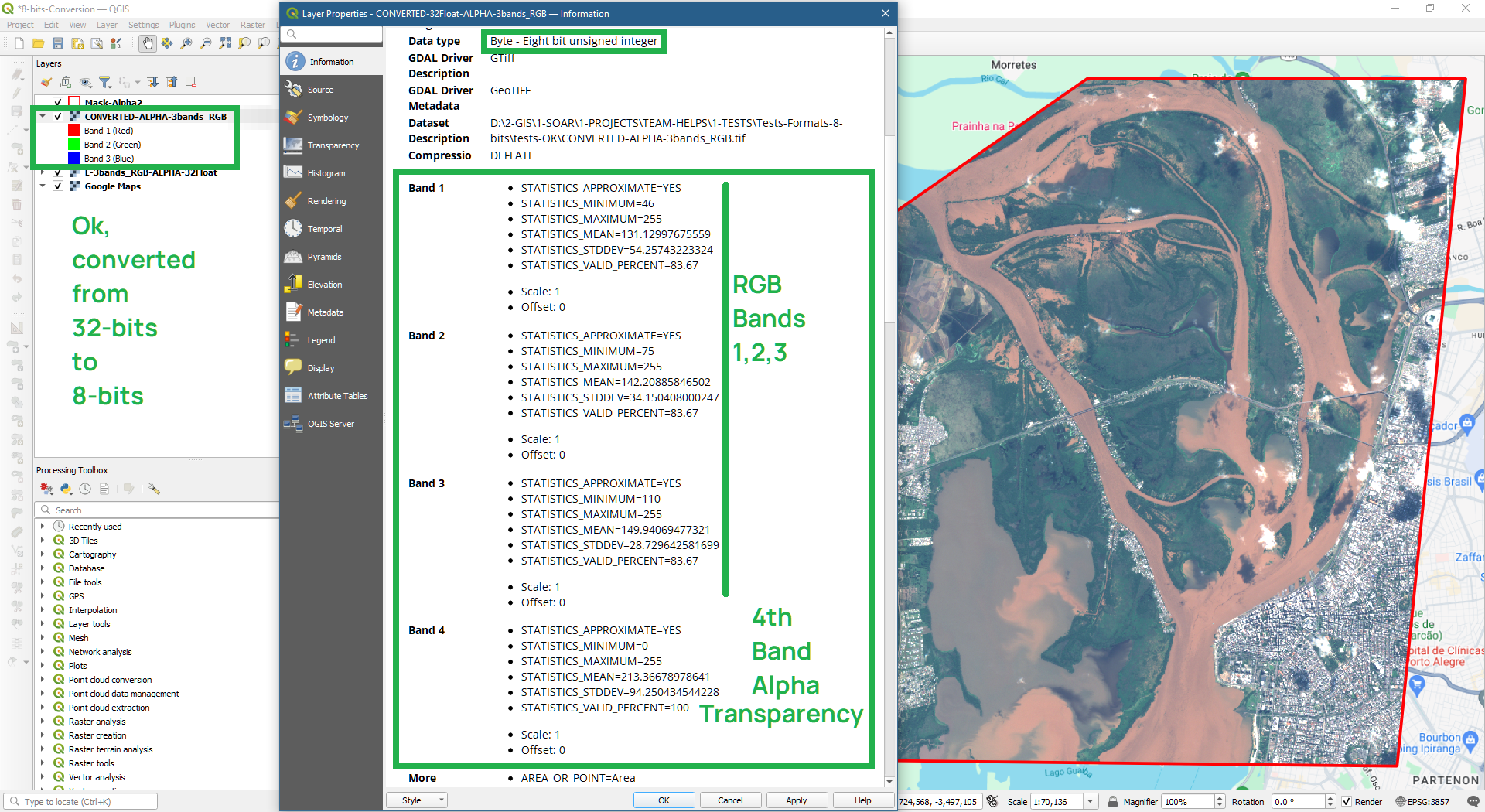
  • 8-bits, 4 bands: RGB + Alpha (Transparency Mask).
  • 8-bits, 3 bands: RGB (No Alpha Transparency Mask).
  • 8-bits, 2 bands: Grayscale + Alpha (Transparency Mask).
  • 8-bits, 1 band: Grayscale (No Alpha Transparency Mask).
2.2 Not acceptable image formats:
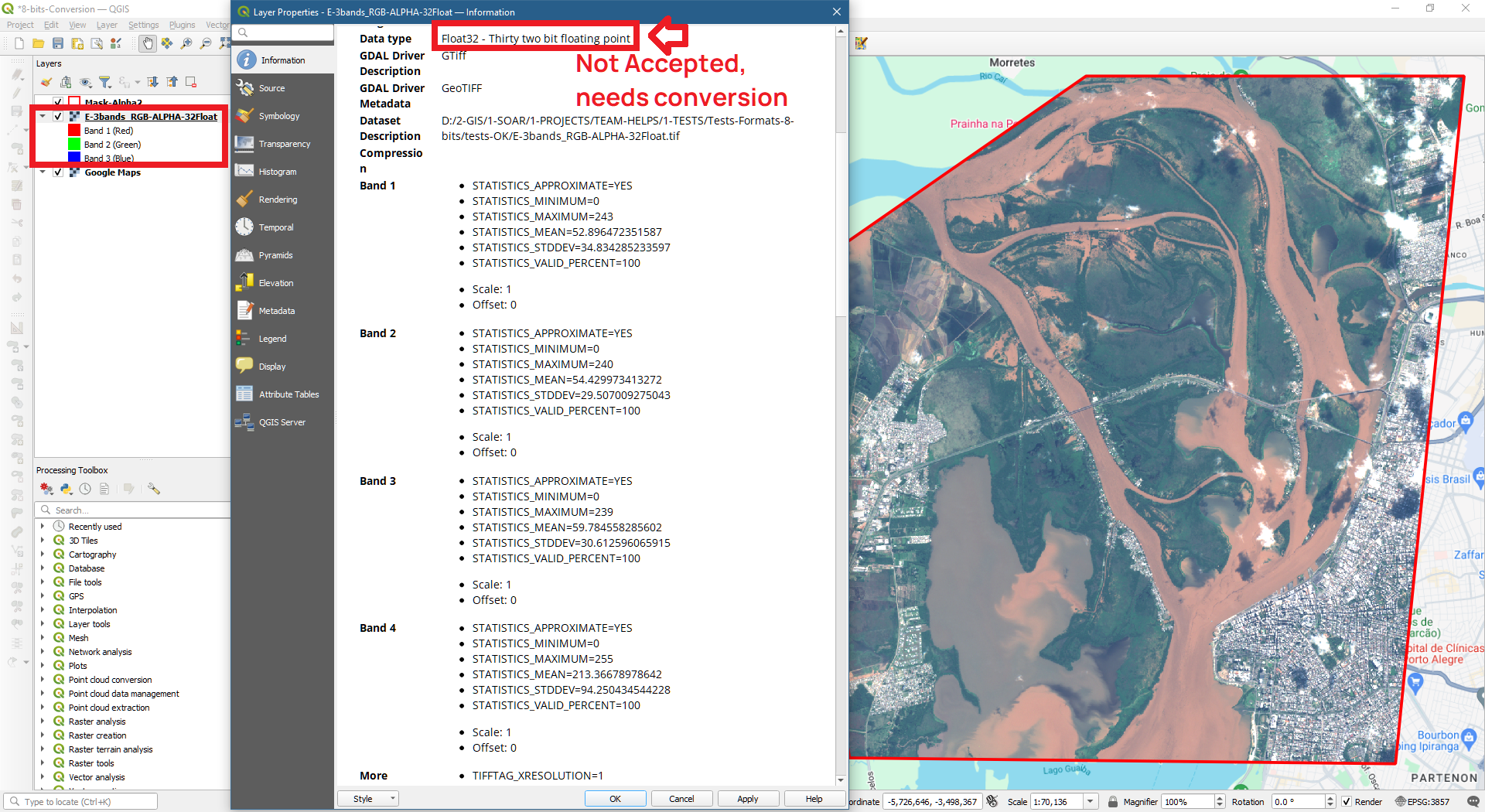
  • Other than 8-bits (1-bit, 16-bits, 32-bits, etc): value range gets reduced to 8-bits (0-255).
  • NoData values: will appear as black (value=0); for transparency, use Alpha Channel at 8-bits instead.

3. How to convert maps and images to RGB format using QGIS

To convert an image to 8-bits in QGIS using ‘Save as rendered’ upon export. Also assure it is on a WGS-84 reference. Follow the steps below.
3.1 Open original image non-8-bits on QGIS:
Export from QGIS Step 1
3.2 Right click on image layer to: Export > Save Raster Layer as... > Check:
  • Output mode: Rendered image
  • CRS: WGS-84 reference
  • Profile compression: Deflate is preferable
  • Export.
Export from QGIS Step 2
3.3 Check if your image was properly converted:
Export from QGIS Step 3
For more information on converting files in QGIS please check out the QGIS User Guide here: https://docs.qgis.org/3.34/en/docs/user_manual/processing_algs/gdal/rasterconversion.html

4. Other GIS software

ESRI ArcGIS: https://pro.arcgis.com/en/pro-app/latest/help/data/imagery/export-or-convert-raster-datasets.htm

GlobalMapper: https://www.bluemarblegeo.com/knowledgebase/global-mapper-21/CommonRasterSettings.htm

Avenza: https://support.avenza.com/hc/en-us/articles/360044084751-Exporting-MAP-Views-and-MAP-Layers

5. Conclusion

By prioritizing simplicity and scalability, we're ensuring that anyone, regardless of technical expertise, can explore and appreciate the beauty of our planet. Ready to embark on your own mapping journey? Head over to Soar and help build the new atlas!